Try a different feel in the same room
Keep the layout steady while you explore colour, texture, and light. Changing one choice at a time makes it easier to see what gives a room the atmosphere you want.
Choose a wall finish
Select a room and open the wall-finish controls in the Inspector. Choose from paint, plaster, wood, or brick, then select a colour or material variant.
Start with one wall
Use Paint a wall and click the interior wall face you want to change. The brush stays active so you can continue onto other walls. Apply to all uses the chosen finish around the room; each listed finish also has a removal control.
Try a single wall first if you are comparing a stronger colour with a quieter palette. Look at it from the doorway and from the place you expect to sit.
Connect materials to the brief
The tea-estate brief pairs stone, timber, and sheltered spaces; the desert brief uses earth tones and shade. Borrow the visual intention that interests you, then compare the available finishes in one room.
A focused experiment
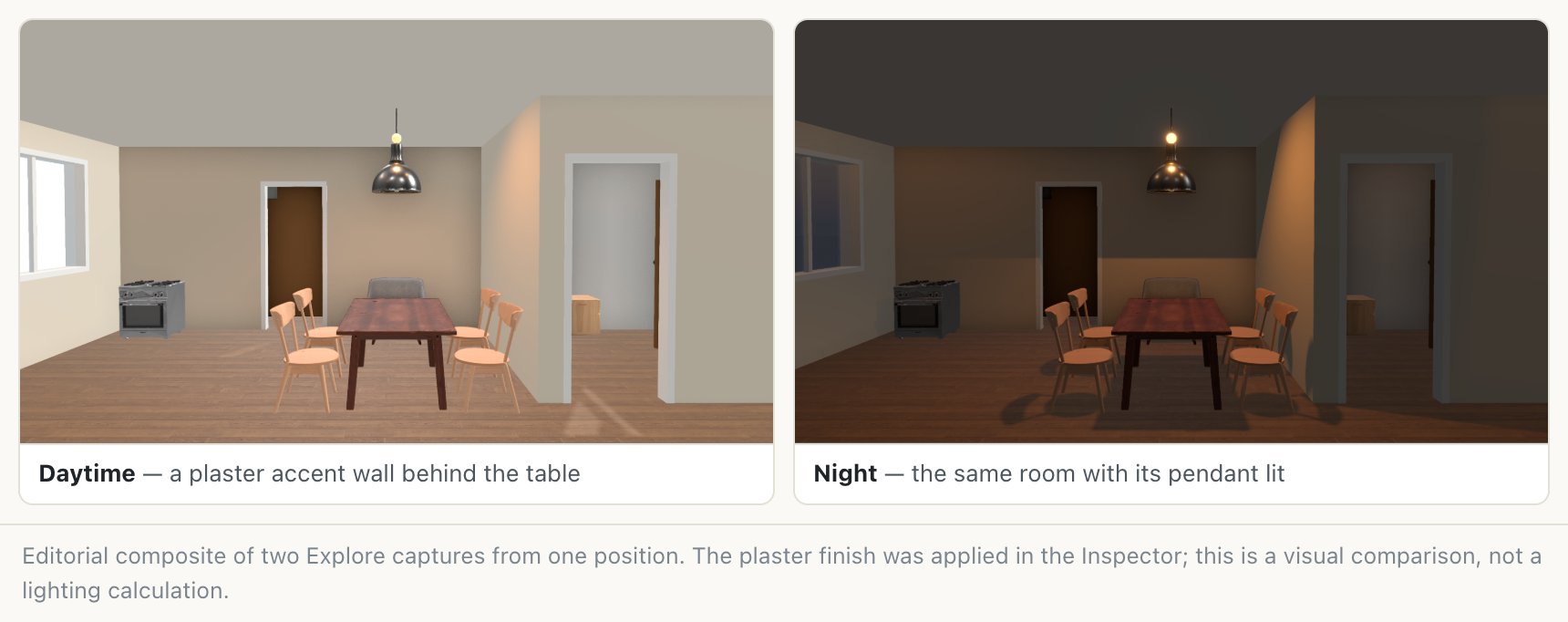
Keep the furniture fixed and compare a plaster wall with a wood accent wall. Note how the finish works beside the floor and the largest piece of furniture. These visual choices help you describe the mood to develop further.
Place a lamp and adjust its light
Draw a separate solid box and convert it to a lamp through Make this a…. With the lamp selected, use the Inspector's light controls to switch it on, choose Warm, Neutral, or Cool, and adjust its intensity.
For a wall light
Select the room and use the Wall decor section to place a sconce on a wall. Adjust its height and position, then use its light controls to explore the effect.
For a ceiling fixture, check the top of the box you drew: hanging models are positioned from that top edge. Inspect the fixture height from inside the room.
Compare in Explore
Switch to Explore to see the lamps illuminate the room. In Edit mode, the glowing fixture mainly indicates that it is on. Toggle between day and night, then pause at the same viewpoint for each comparison.
Look at the whole room
Compare the reading corner, the dining table, and the route to the door. If one corner dominates the view, try changing a nearby lamp's tone or intensity before adding more fixtures.
Light output readouts are approximate visual references. Use the views to discuss atmosphere; take detailed lighting quantities and installation choices into the next stage of the project.
Keep the combination you like
Save a separate design for a finish direction you want to retain, and export matching PNG views. Include those images when sharing the idea, since model formats can simplify the finishes and decorative details you see in the studio.
Keep exploring
Try it with your own design
Back to Room planner.